My Asset Mate
How My Asset Mate works
Simple, secure, and fast. Follow three easy steps to get your home inventory organised today.
Create your asset record
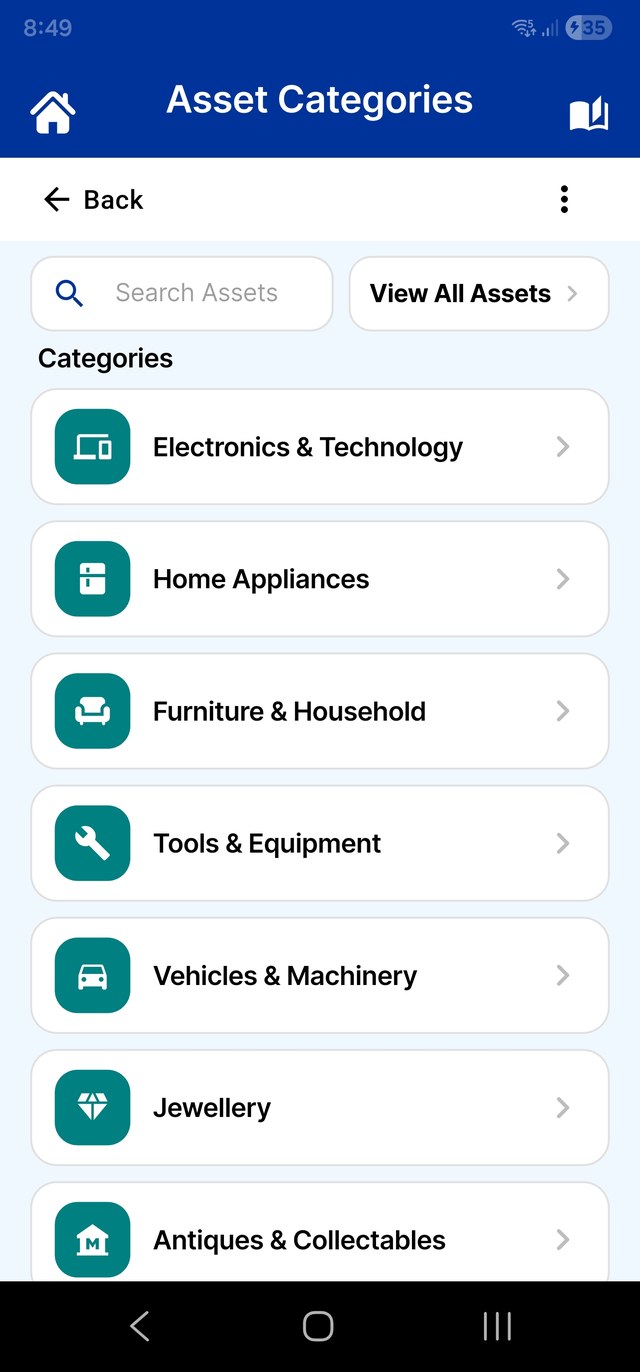
Tap Add Asset to start. Give your item a clear name — like "Living Room OLED TV" or "Family Heirloom Ring" — and assign it to one of the 22 pre-loaded categories. Max has pre-configured everything from Electronics to Jewellery, to save you time.
Capture the details
This is where the magic happens. Quickly record everything that matters, in the way that suits you best.
 Screenshot coming soon
Photos & documents
Snap high-quality photos of the item and its receipt.
Voice memos
Record a quick voice note to describe the item's condition or special history.
Video walkthroughs
Capture a short video of the asset in action — critical evidence to prove it was working if you ever need to claim for transit or accidental damage.
Warranty & insurance
Add expiry dates and policy details so you never miss a claim window.
Generate professional reports
When you need to provide proof to an insurance agent, a removalist, or a professional valuer, simply tap Generate PDF Report. Max will bundle your text, photos, and receipt images into a clean, professional PDF document you can save, email, or print.
Screenshot coming soon
Max's pro tips for assets
Evidence of condition
Use the video and voice memo features to document the pre-damage state of your most valuable items. Insurers love visual and audio proof that something was functional and well-maintained before an incident.
Serial numbers
Always take a clear photo of the serial number sticker on the back of electronics. It's the #1 detail insurance companies ask for when you make a claim.
The room-by-room walkthrough
Don't feel overwhelmed — do one room at a time. Start with your highest-value items first, so your most important assets are protected quickest.
Private & secure
Your asset records stay locally on your device, protected by your own PIN security, and kept completely off the public web. You're in total control of your data.
For extra peace of mind, check out our Premium Upgrade to unlock full data backups to your own cloud and complete CSV spreadsheet exports.